Picture of the author
Wave

Create Your Own Event

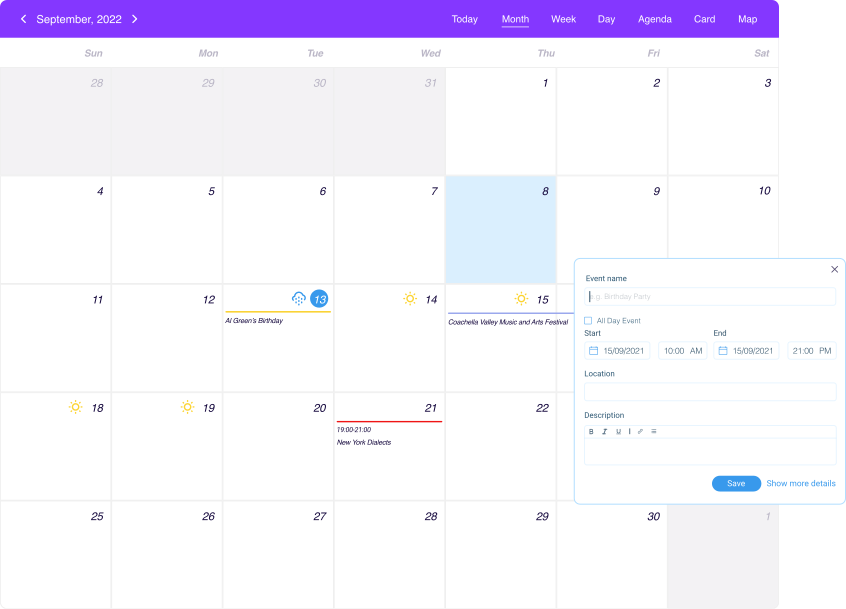
Adding events through the Calendar is a fantastic option, if you want to plan your classes, tour dates, meetups, appointments, upcoming parties or other remarkable events.

Integrations

Set up your event details

Setting up the details of your event, such as the date, time, location, and image, is crucial as these elements can greatly impact attendance, engagement, and overall success of your event.

Add general info and add image
Add general info and add image

Add general info and add image

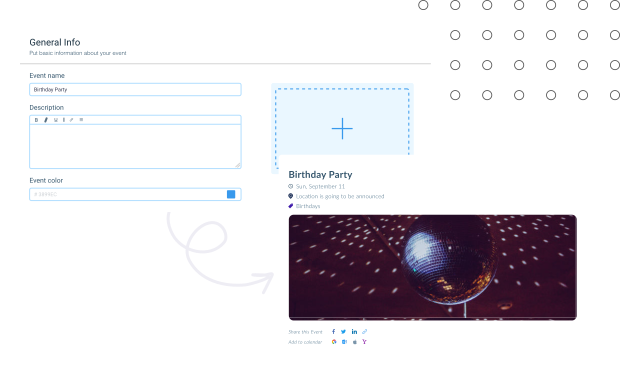
Customize your event with general information and images to make it stand out. Enter the event name, a description, and choose a color to give it a unique look.


You can also upload images to give your event a visual appeal. Make sure to save your changes before exiting the page.
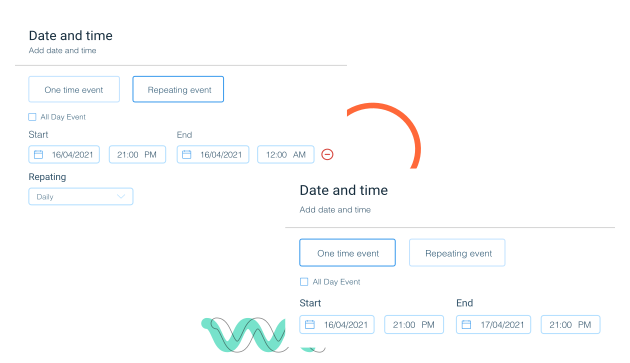
Add dates to your event

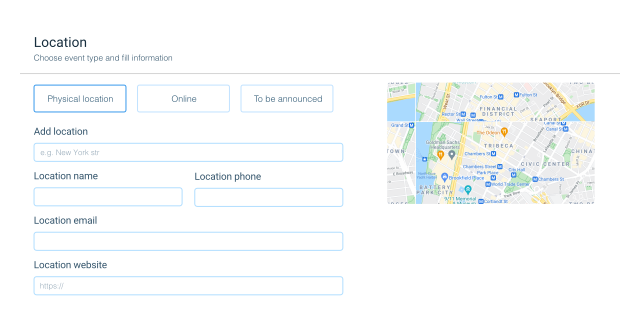
Set up location to your event

Feature illustration

Set up a location for your event to let people know where it will take place. You can choose from three options: physical, online, or to be announced.


For a physical location, you can enter the address and other details.

Publish or schedule the event

Publish or schedule the event

Publish or schedule the event

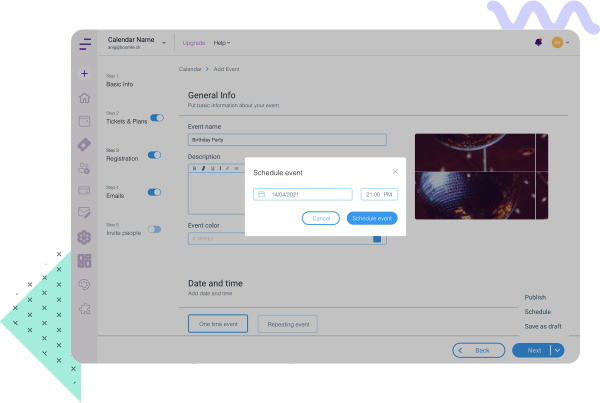
Make your event available to the public by publishing or scheduling it.


You can choose to publish your event immediately, or you can schedule it for a later date.


Scheduling your event will allow you to set a specific time and date when it will be available. This way, you can ensure that your event is ready when the time comes.

Manage your event easily with Ewents